Who can do what in your camp
Your camp and teamCamp Admins and Camp Members, what each can do, how people get their role, and why every camp always keeps at least one Camp Admin.
Everyone in a camp has one of two roles: Camp Admin or Camp Member. Both work on the camp’s safety work. Camp Admins also look after the camp itself and its team.
| Camp Member | Camp Admin | |
|---|---|---|
| Work on the Camp Profile, risk assessment and safety plan | Yes | Yes |
| See the camp’s details | Yes | Yes |
| Leave the camp | Yes | Yes, once there’s another Camp Admin, or by handing over |
| See and share the join code, and make extra join codes | No | Yes |
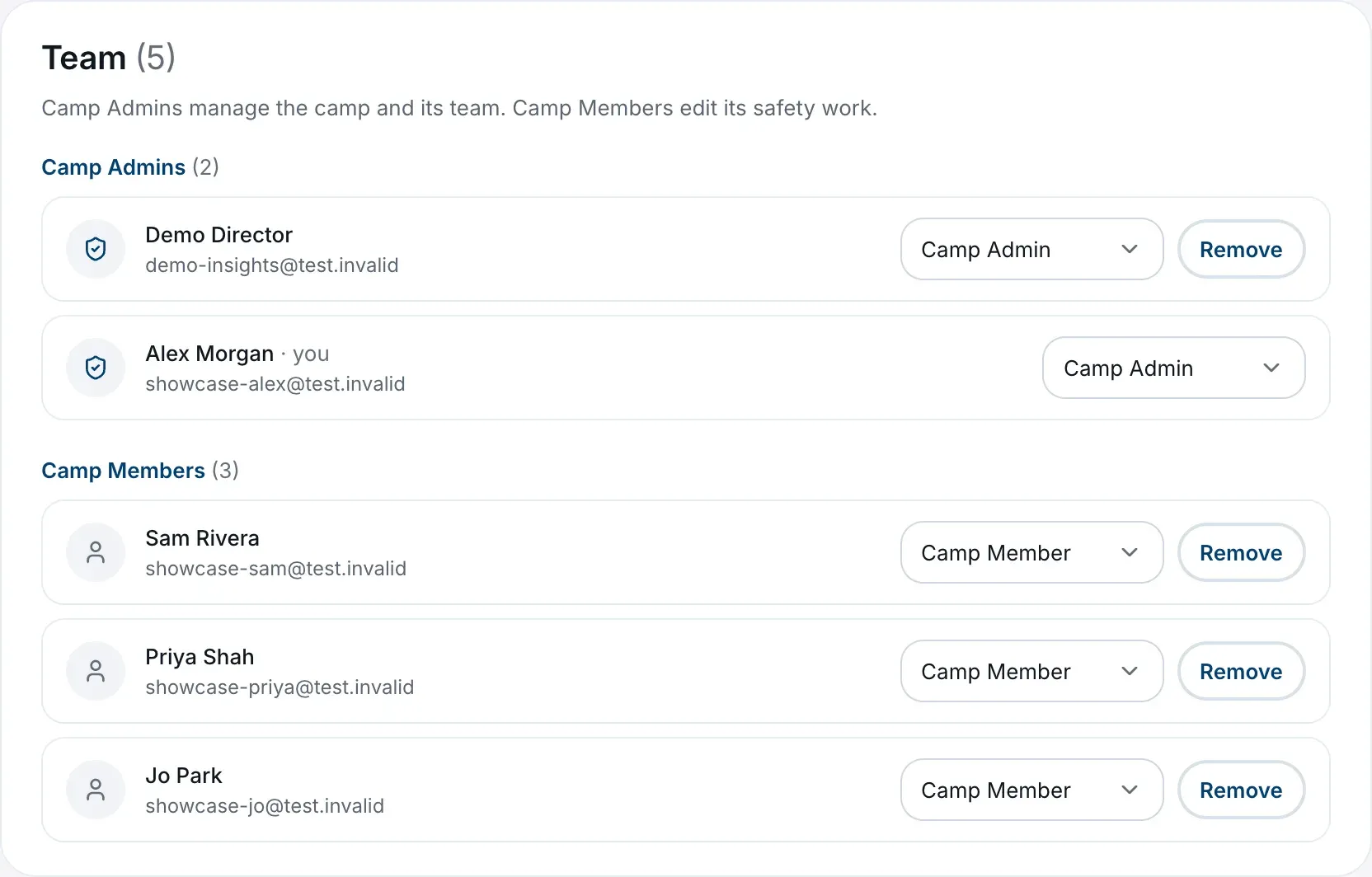
| See the team list, change people’s roles and remove people | No | Yes |
| Change the camp’s name, details and logo | No | Yes |
| See the camp’s Learning tab | No | Yes |
The Team tab in Camp Settings sums it up: Camp Admins manage the camp and its team, Camp Members edit its safety work.
How people get their role
- Whoever sets up the camp becomes its first Camp Admin.
- Everyone who joins with a code joins as a Camp Member, whether they use the main code or an extra one. No code can make someone a Camp Admin.
- A Camp Admin can make any Camp Member a Camp Admin once they’ve joined. See Change someone’s role or remove them.
Have more than one Camp Admin
A camp can have as many Camp Admins as it likes. Having at least two means someone can always manage the team and the join code when one of you is away.
Every camp keeps a Camp Admin
The platform won’t let a camp end up with no Camp Admin while there are people in it:
- The last Camp Admin can’t change their own role or be removed. Make someone else a Camp Admin first.
- If the last Camp Admin leaves, they choose a Camp Member to take over, in the same step. See Leave a camp.
- If you’re the only person left in a camp, you can close it rather than leave it empty. See Fix a camp that was set up by mistake.
Your role is for one camp
If you belong to more than one camp, you have a separate role in each. You might be a Camp Admin of one and a Camp Member of another. The camp menu at the top of the sidebar shows your role under each camp’s name. See Join or create another camp.
Your profile roles are different
On your Profile page you’ll also see Camp Staff, Safety Professional and Volunteer / Parent. These describe you, not your place in a camp, and they don’t change what you can do inside one. Anyone can join or create a camp, whatever roles they hold. Belonging to a camp adds Camp Staff to your profile, and removing Camp Staff takes you out of every camp you’re in. See Your profile.