Leave a camp
Your camp and teamLeave a camp you've moved on from or joined by mistake, hand over first if you're its last Camp Admin, and see what happens to your actions.
Anyone can leave a camp on their own, whatever their role. You don’t need a Camp Admin to remove you.
Leave a camp
- If you’re in more than one camp, open the one you want to leave. See Switch between your camps.
- Open the camp menu at the top of the sidebar and choose Camp Settings.
- Open the Team tab and find the Leave this camp card.
- Choose Leave followed by the camp’s name.
- Read what happens, then choose Leave followed by the camp’s name again. Choose Stay to cancel.
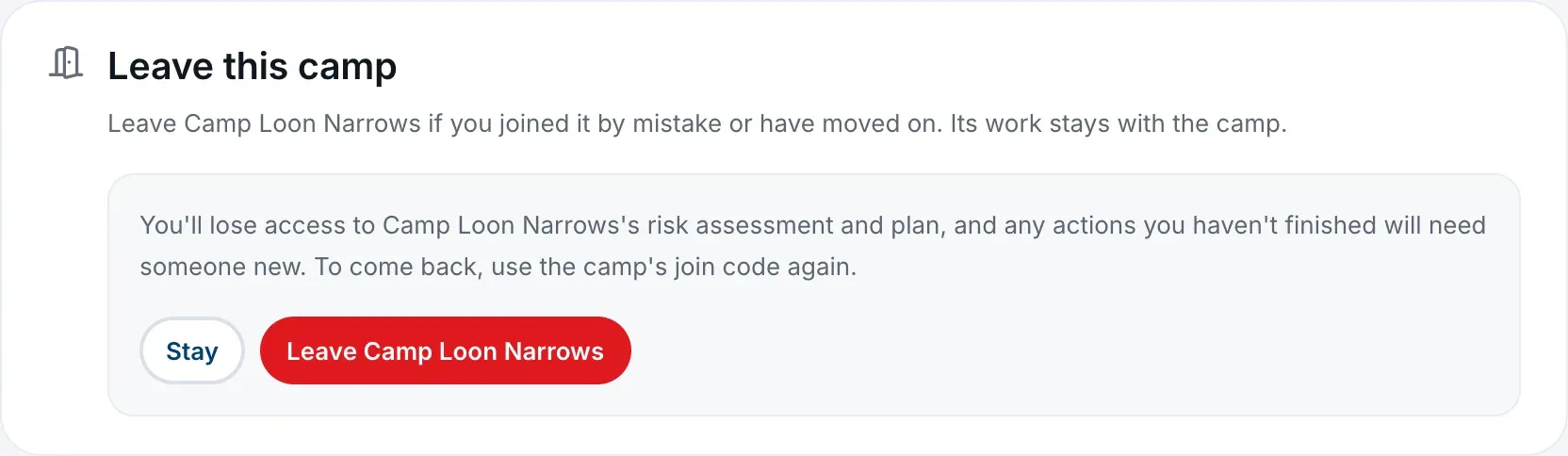
You lose access to the camp’s risk assessment and plan straight away, and its Camp Admins get a notification that you left.
If you’re the camp’s only Camp Admin
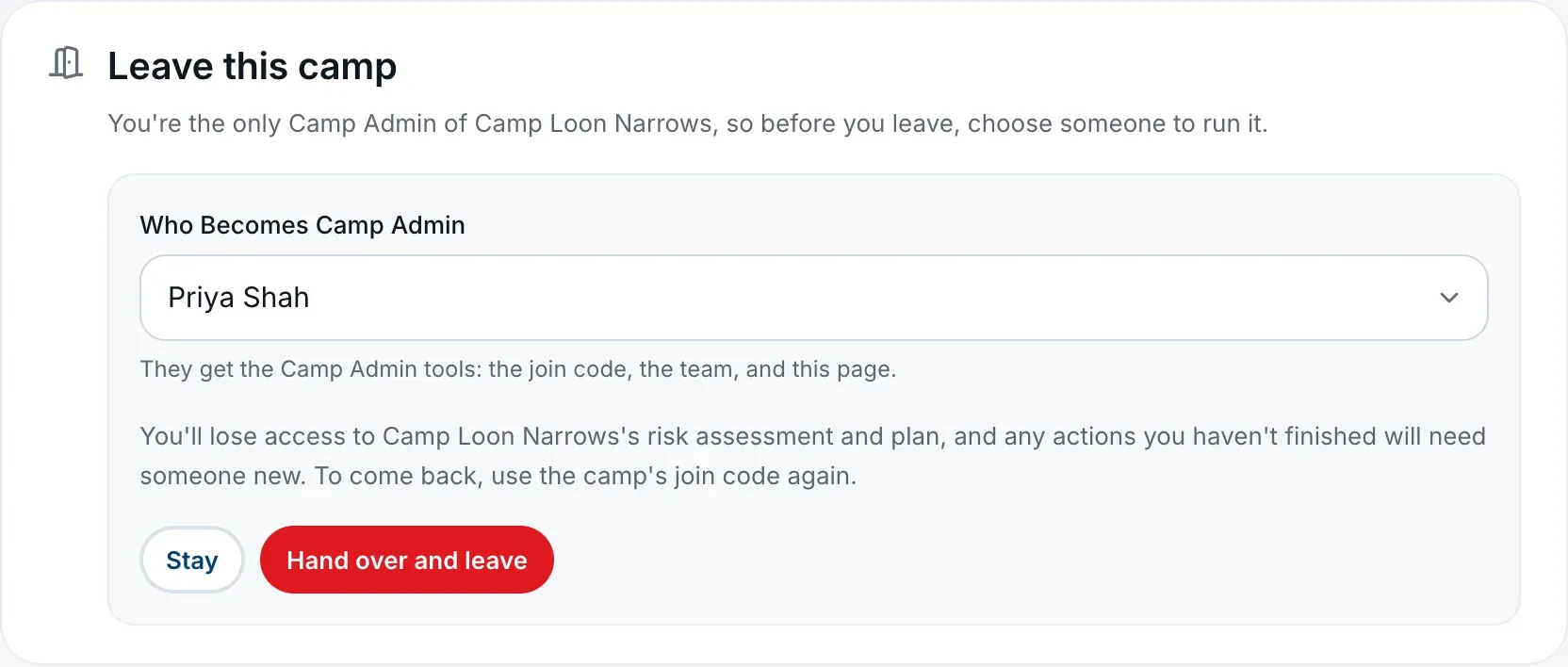
The camp needs a Camp Admin, so you choose who takes over as you go. The card says you’re the only Camp Admin and asks you to choose someone to run it.
- Choose Leave followed by the camp’s name.
- Under Who Becomes Camp Admin, choose a Camp Member.
- Choose Hand over and leave.
They become a Camp Admin and you leave in the same step, so the camp is never without one. They’ll have the Camp Admin tools: the join code, the team, and Camp Settings.
If another Camp Admin is already in the camp, you don’t need to hand over. You can leave the ordinary way.
If you’re the only person in the camp
There’s nobody to hand over to, so you can’t leave the camp empty. The card is Close this camp instead. See Fix a camp that was set up by mistake.
What happens to your work
- Your work stays with the camp: your profile answers, risk assessment work, plans and history.
- Actions you owned and hadn’t finished lose their owner, so someone in the camp will need to pick them up. If you can, tell a Camp Admin before you go.
- Actions you finished keep your name, as the record of who did the work.
If you’re in other camps
Leaving one camp doesn’t change any of your others. Afterwards you’re taken to Home in the camp you joined most recently of the ones you still have.
If it was your only camp, Home offers you a way to join a camp or set one up.
If you had the camp open in another browser tab, when you go back to that tab it shows a note at the bottom saying you’re no longer a member of it.
Coming back later
Someone who left can rejoin with the camp’s current code. Ask a Camp Admin for it, since it may have changed since you left. See Join your camp with a camp code.
Being removed by a Camp Admin is different: old codes stop working for you, and you’ll need a new one. See Change someone’s role or remove them.
Removing Camp Staff from your profile
If you remove the Camp Staff role from your Profile page, you leave every camp you’re in. The platform won’t let you do it while that would leave one of your camps with no Camp Admin, or with nobody in it, and it names those camps. Make someone else a Camp Admin there, or close the camp, first. See Your profile.