Get help and send feedback
Account and sign-inReport something that isn't working, suggest an idea, or ask a question from the Help and feedback page, and what happens to each.
If something isn’t working, you have an idea, or you’re stuck, the Help and feedback page gets it to The Safety Navigator team. Allie walks you through it, one question at a time.
Open Help and feedback
- Choose the question mark button at the top right of any page, or
- Open your name at the foot of the sidebar and choose Help and feedback.
The page remembers which page you came from, so the team can see where you were.
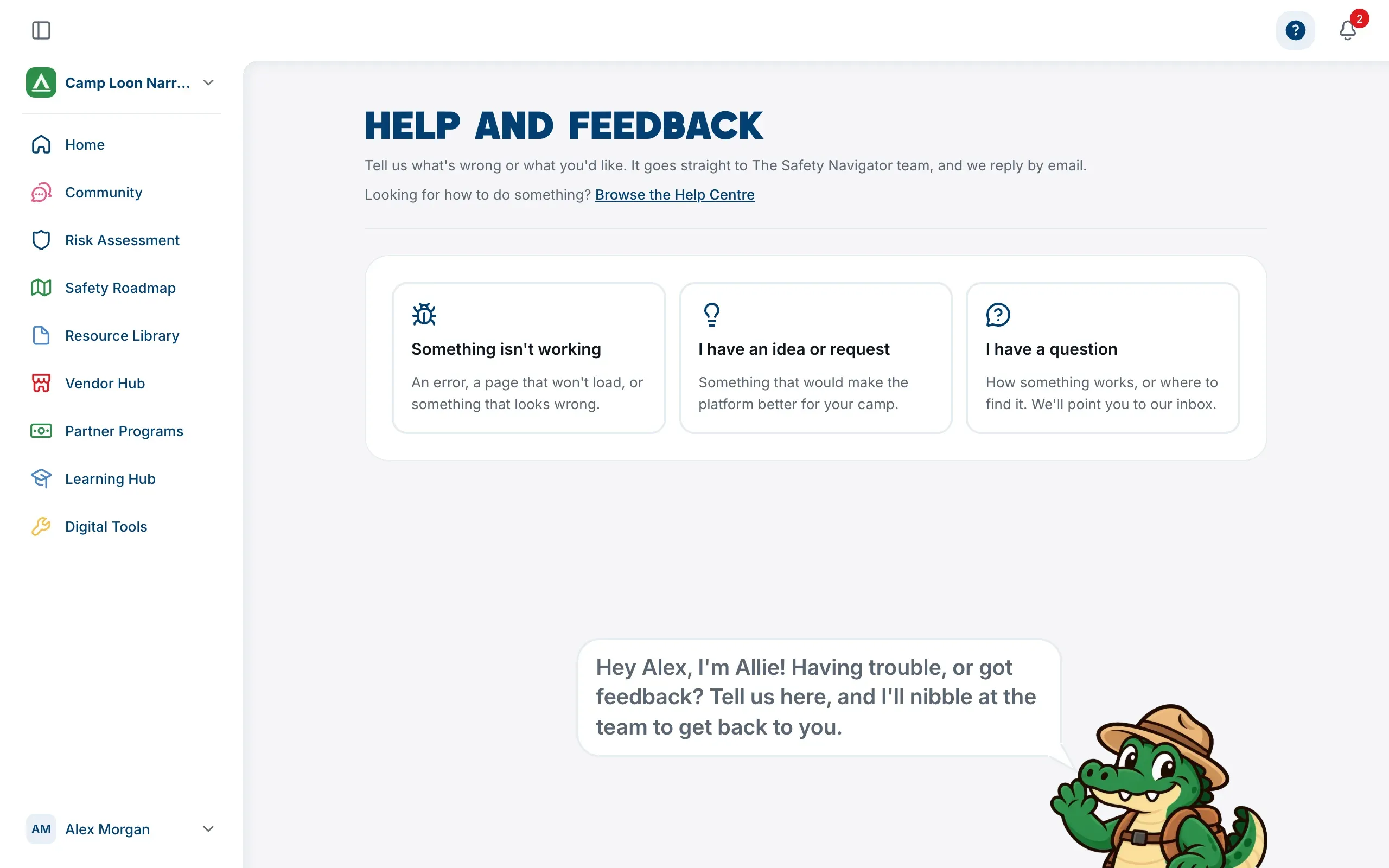
Look for an answer first
Many how-to questions are already answered in this Help Centre. On the Help and feedback page, choose Browse the Help Centre, or open your name at the foot of the sidebar and choose Help Centre. It opens in a new tab, so your place in the platform stays where it was.
Choose what it’s about
- Something isn’t working: an error, a page that won’t load, or something that looks wrong.
- I have an idea or request: something that would make the platform better for your camp.
- I have a question: how something works, or where to find it.
Report a problem or send an idea
- Choose Something isn’t working or I have an idea or request.
- Write it in the box (What happened? or Your idea). For a problem, say what you were trying to do, what you expected, and what happened instead. It needs at least 10 characters, and can be up to 5,000.
- Choose Continue.
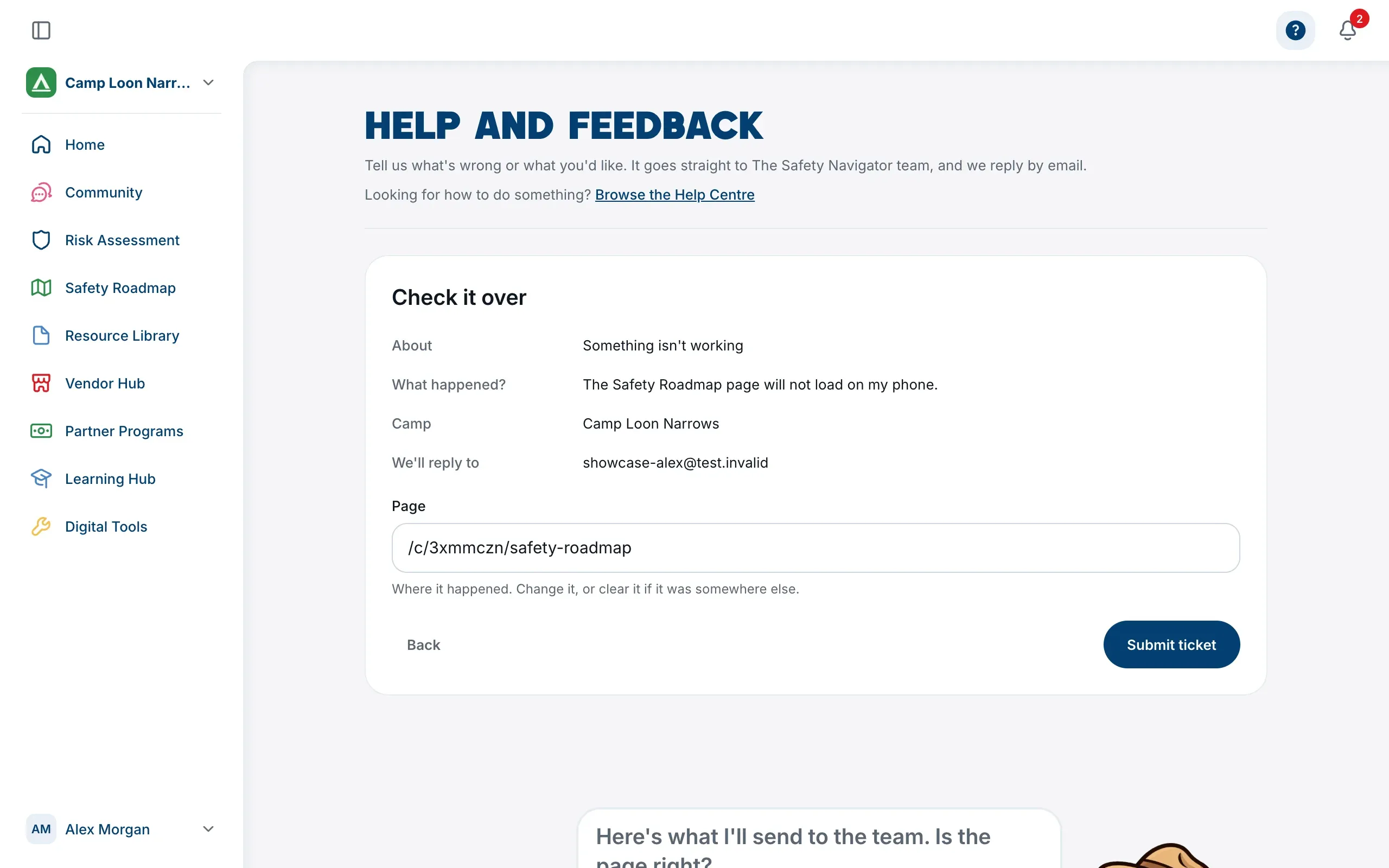
- On Check it over, look at what will be sent: what it’s about, your message, your camp, and the email address the team will reply to. The Page field says where it happened; change it, or clear it if it was somewhere else.
- Choose Submit ticket.
You’ll see Sent. Thank you. Your message goes straight to The Safety Navigator team, and they reply by email. Choose Back to where you were to carry on, or Send something else.
Use Back at any step to change an earlier answer.
Ask a question
Choose I have a question. Questions go to our inbox rather than being sent from the page: choose Email the team to write to contact@thesafetynavigator.org, and someone from the team will get back to you. Search the Help Centre is there too, in case the answer is already written.
If it doesn’t send
If the page can’t send your message, it says so and keeps what you wrote, so you can try again. If it still won’t go, email contact@thesafetynavigator.org.
Stuck while signing up
The Let’s Find Your Camp and Enter Your Camp Code screens in sign-up have their own Stuck? bar with our email address. Write to contact@thesafetynavigator.org and we’ll help you get set up.