Work on it together
Risk assessmentSeveral people can work on your camp's risk assessment at once. How saving works, what happens when two people change the same answer, and who can see it.
The risk assessment works best as a team effort. Bring in your camp leaders, staff and anyone with safety expertise, so your answers reflect the real activities, places and situations at your camp.
There’s one assessment per camp, and everyone in the camp works on the same one.
Who can work on it
Everyone in your camp, whether a Camp Admin or a Camp Member, can work on every stage of the assessment and on the actions in the Safety Roadmap. To bring someone in, share your camp code with them. See Join your camp with a camp code and Who can do what in your camp.
Split the work
Because you can open any stage in any order, it’s easy to divide things up. For example, one person rates the risks in one category while another records controls for a different one. People working on different risks never get in each other’s way.
How saving works
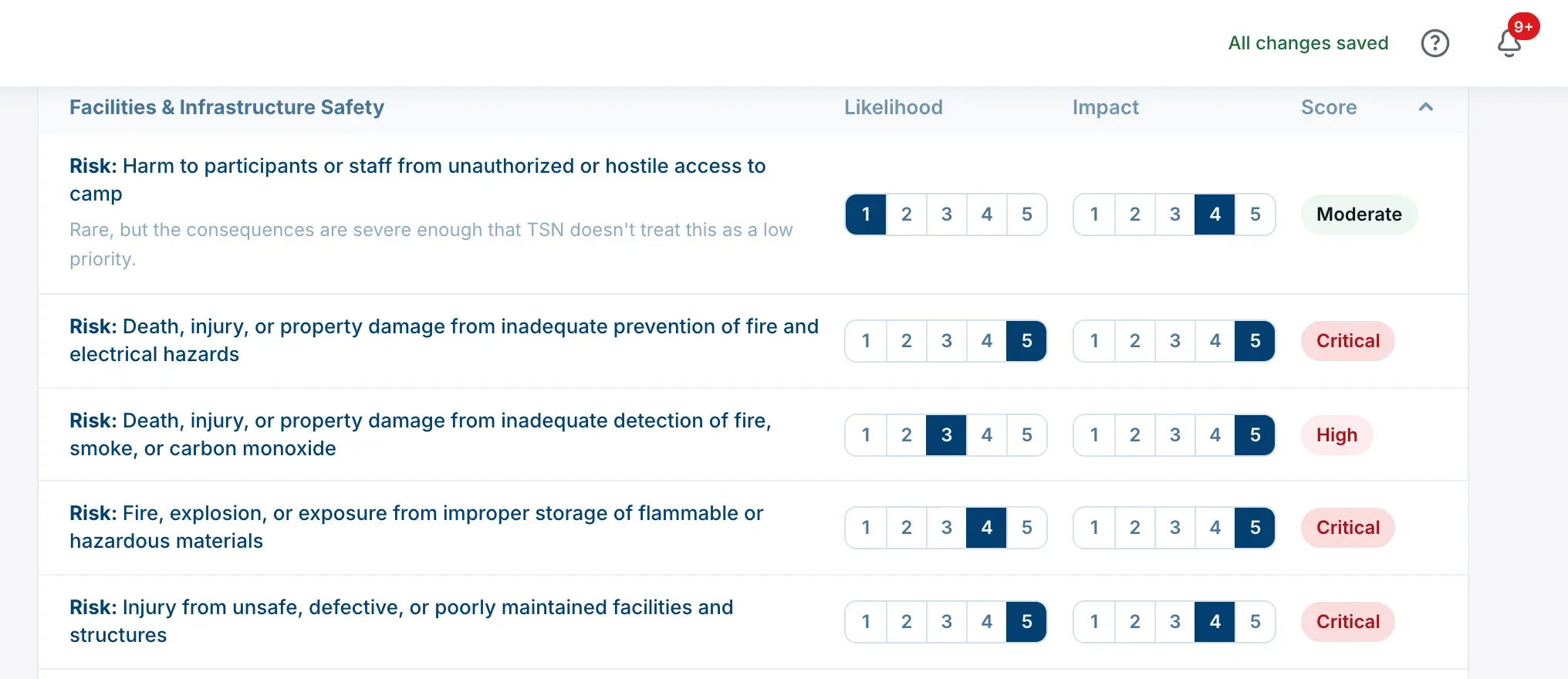
Every answer saves the moment you give it. Typed text saves when you pause or click away. There’s no submit button.
The top of the page tells you what’s happening:
| On a computer | On a phone | What it means |
|---|---|---|
| Saving… | Saving… | Your change is on its way |
| All changes saved | Saved | It’s saved. This fades after a moment |
| Couldn’t save, check your connection | Not saved | It didn’t save |
If a change doesn’t save, check your connection and try it again. A message explaining what went wrong may also appear above the stage. It clears the next time a change saves.
When two people change the same answer
If two people change the same answer on the same risk or control, whichever change is saved last is the one that’s kept. Nobody is warned when this happens, so if you’re working side by side, agree who’s covering what.
Seeing other people’s changes
The page doesn’t update by itself while someone else is working. Changes other people make appear when you reload the page or come back to it later.
Who can see your assessment
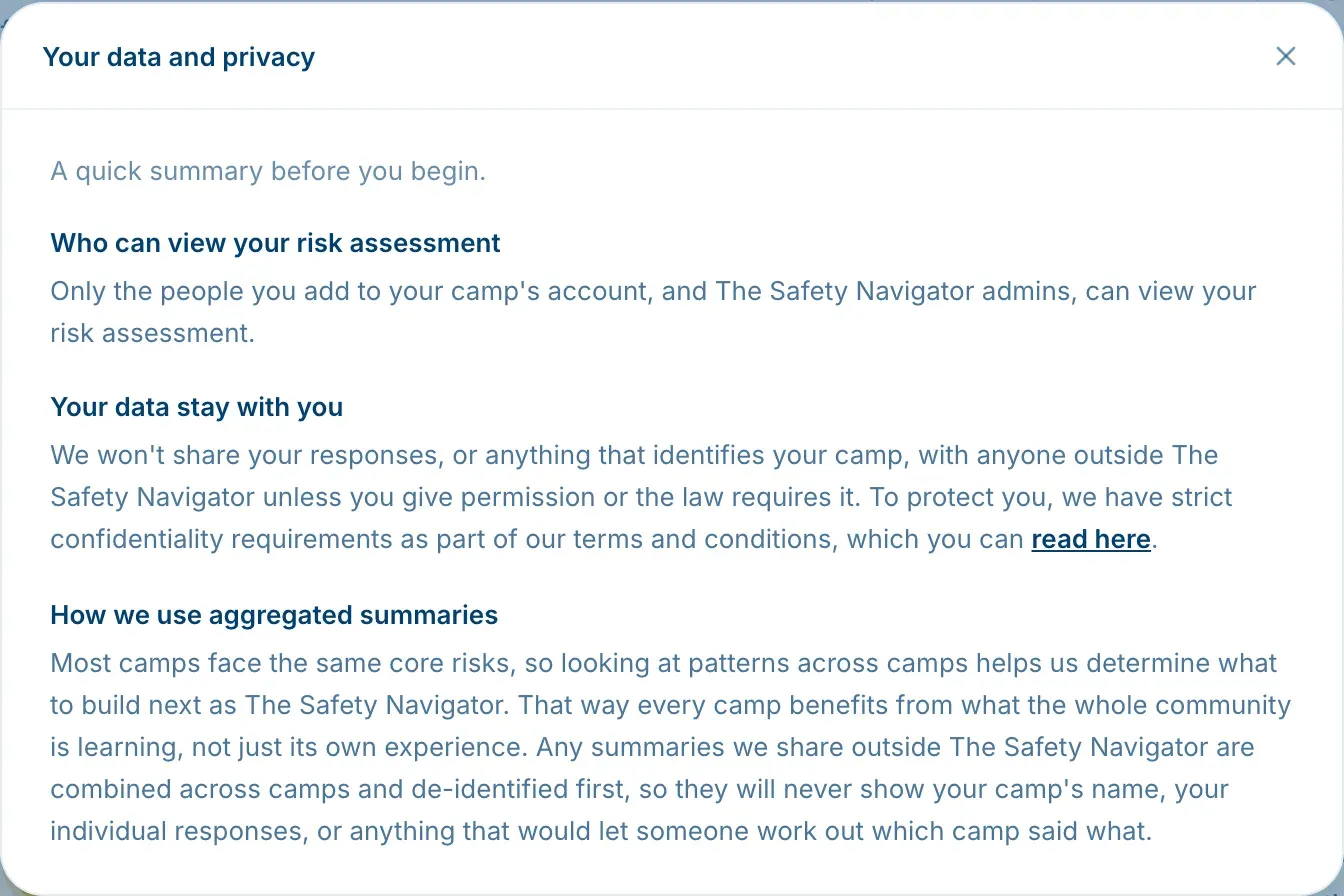
Only the people in your camp, and The Safety Navigator’s own admins, can view your risk assessment. To read the full note, open Risk Assessment and choose A note on your data and privacy.
Keeping track of progress
The overview page shows where each stage stands, and your Safety Roadmap shows the whole picture: progress, open actions, owners and due dates. Its History tab records readings as your team works, so you can see how far you’ve come. See Track your progress over time.