Join your camp with a camp code
Getting startedIf someone at your camp has already set it up on the platform, a six-character camp code puts you straight into it, even if you're already in another camp.
Every camp on The Safety Navigator has a camp code: six letters and numbers that let the people who work there join it. If your camp is already on the platform, you don’t need to set it up again. Ask for the code and you’ll be working alongside your team in a minute.
Check before you set anything up. If you aren’t sure whether your camp is already on the platform, ask your director or whoever looks after safety. Setting up a second copy of your camp is the most common problem we help with. If it has already happened, see Fix a camp that was set up by mistake.
Get the code
Ask a Camp Admin at your camp, usually whoever set it up. They can find the code at any time:
- Open the camp menu at the top of the sidebar (it shows your camp’s name).
- Choose Camp Settings.
- Open the Access tab. The code is on the Join code card, with a button to copy it.
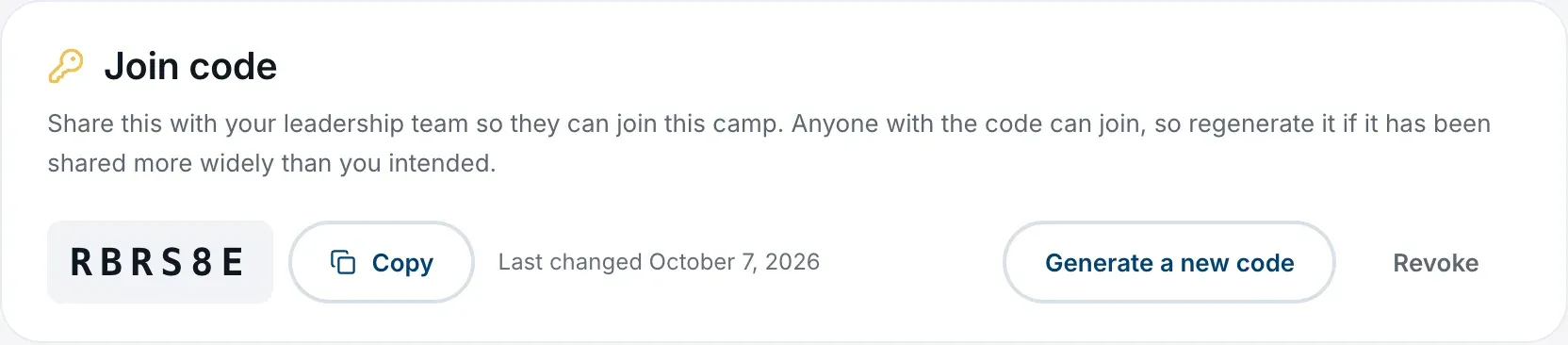
Codes use capital letters and the numbers 2 to 9. There is no I, O, 0 or 1, so similar-looking characters can’t be mixed up.
Enter it when you sign up
- Create your account and add your name. See Create your account.
- When asked Which best describes you?, choose Camp Staff.
- On Let’s Find Your Camp, choose I’m joining a camp.
- On Enter Your Camp Code, type or paste the code into the Camp Code boxes. Capitals and spaces don’t matter, and it joins as soon as the sixth character is in. You can also choose Join camp.
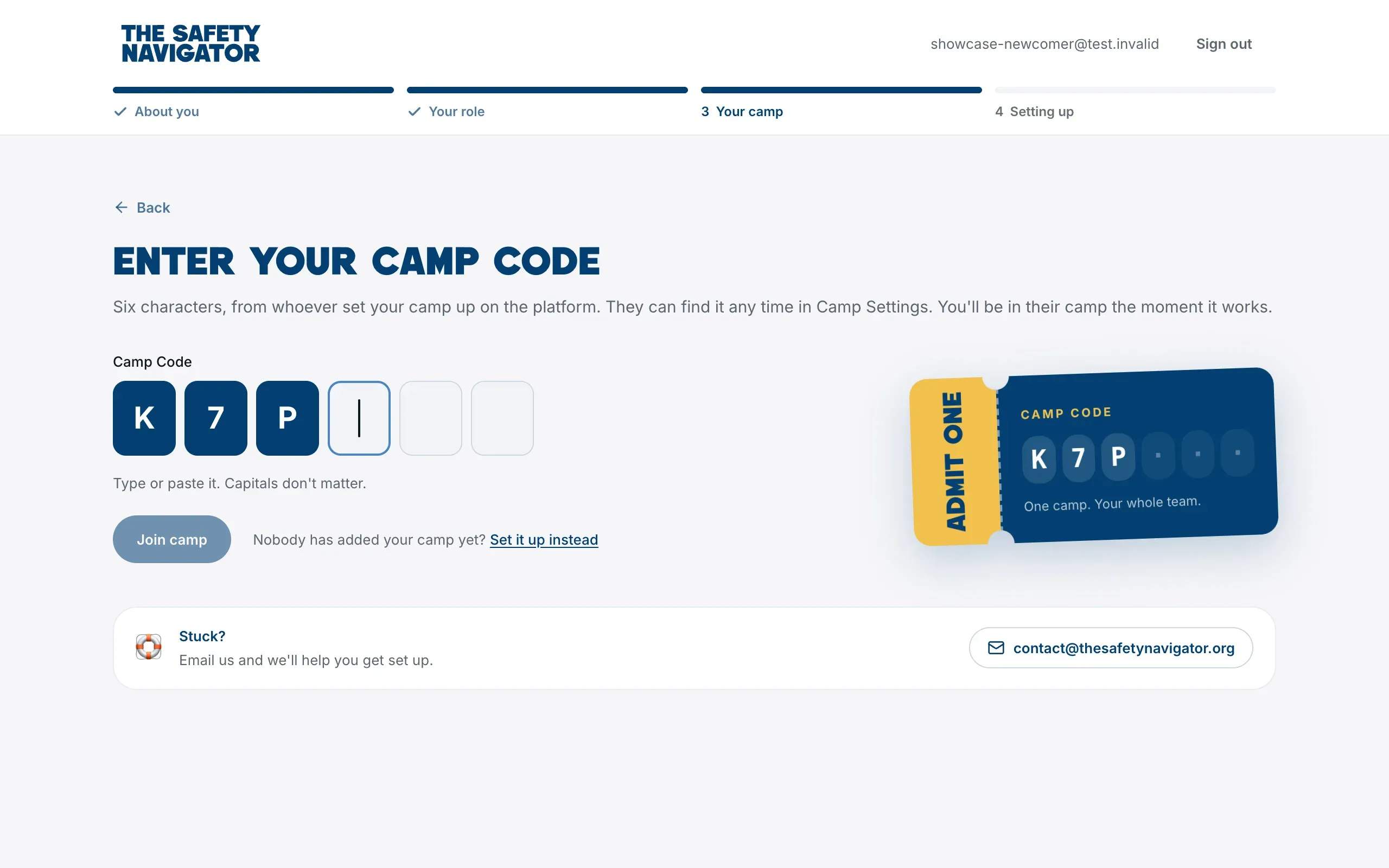
You’ll land on your camp’s Home page straight away. Nobody has to approve you, but your camp’s Camp Admins get a notification that you joined.
Join from inside the platform
If you’re already using the platform, open the camp menu at the top of the sidebar:
- Not in a camp yet? It says Join or set up a camp. Choose Join a Camp.
- Already in a camp? Choose Join another camp.
Enter the code on the Join a camp page. You can also get there from Join a camp on any page that needs a camp, from Join with a code on your Home page, or from the My Camps tab on your profile.
Anyone can join a camp with a code, whatever role they picked when they signed up. Joining a camp adds Camp Staff to the roles on your profile.
Joining when you’re already in a camp
Joining another camp adds it. You stay in every camp you were already in, with the same role and the same work. The camp you just joined opens, and you can move between your camps from the camp menu. See Work in more than one camp.
If you enter the code for a camp you’re already in, the platform simply opens that camp.
What you can do once you’ve joined
Joining with a camp code makes you a Camp Member, so you can work on your camp’s profile, risk assessment and safety plan. A Camp Admin can make you a Camp Admin afterwards. See Who can do what in your camp.
If the code doesn’t work
- “That code didn’t work.” Check it with whoever shared it. A Camp Admin may have made a new code since, which stops the old one working. Extra codes can also expire or run out of uses.
- “That’s too many codes in a row.” After ten wrong codes in fifteen minutes the platform pauses. Wait fifteen minutes and try again.
- “You were removed from this camp.” A Camp Admin removed you, so codes from before that no longer work for you. Ask a Camp Admin for a new code.
Still stuck? Email contact@thesafetynavigator.org.