Add your own risk
Risk assessmentAdd a risk the assessment didn't suggest, either from TSN's library or written in your own words, and take it through the stages like any other.
The risks in Identify are suggested from your camp profile. If your camp faces a risk that isn’t there, you can add it yourself in two ways: pick it from TSN’s full library, or write your own.
Open the Add a risk window
- Open the risk assessment and go to Stage 2: Identify.
- Choose Add a Risk, above the list.
The Add a risk window has two tabs, From TSN’s library and Write your own.
Add a risk from TSN’s library
The library holds every current risk in TSN’s framework, including ones your profile didn’t point to.
- On From TSN’s library, type in Search the library to narrow the list. The count, such as “180 not yet on your register”, shows how many are left to add. Risks already in your assessment, including ones waiting in To Review or set aside, aren’t listed.
- Choose Add beside the one you want.
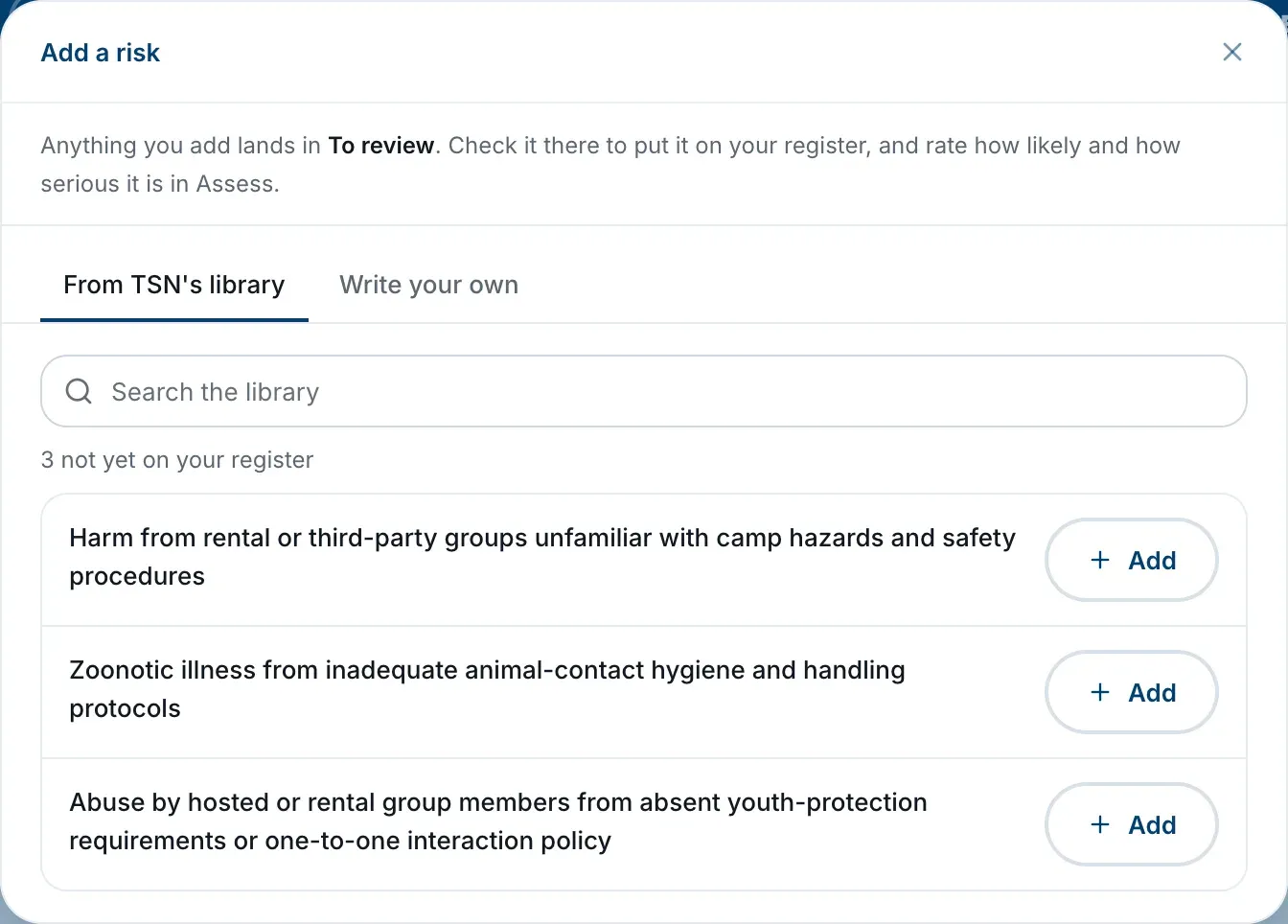
A risk from the library comes with TSN’s suggested controls, just like a suggested one.
Write your own risk
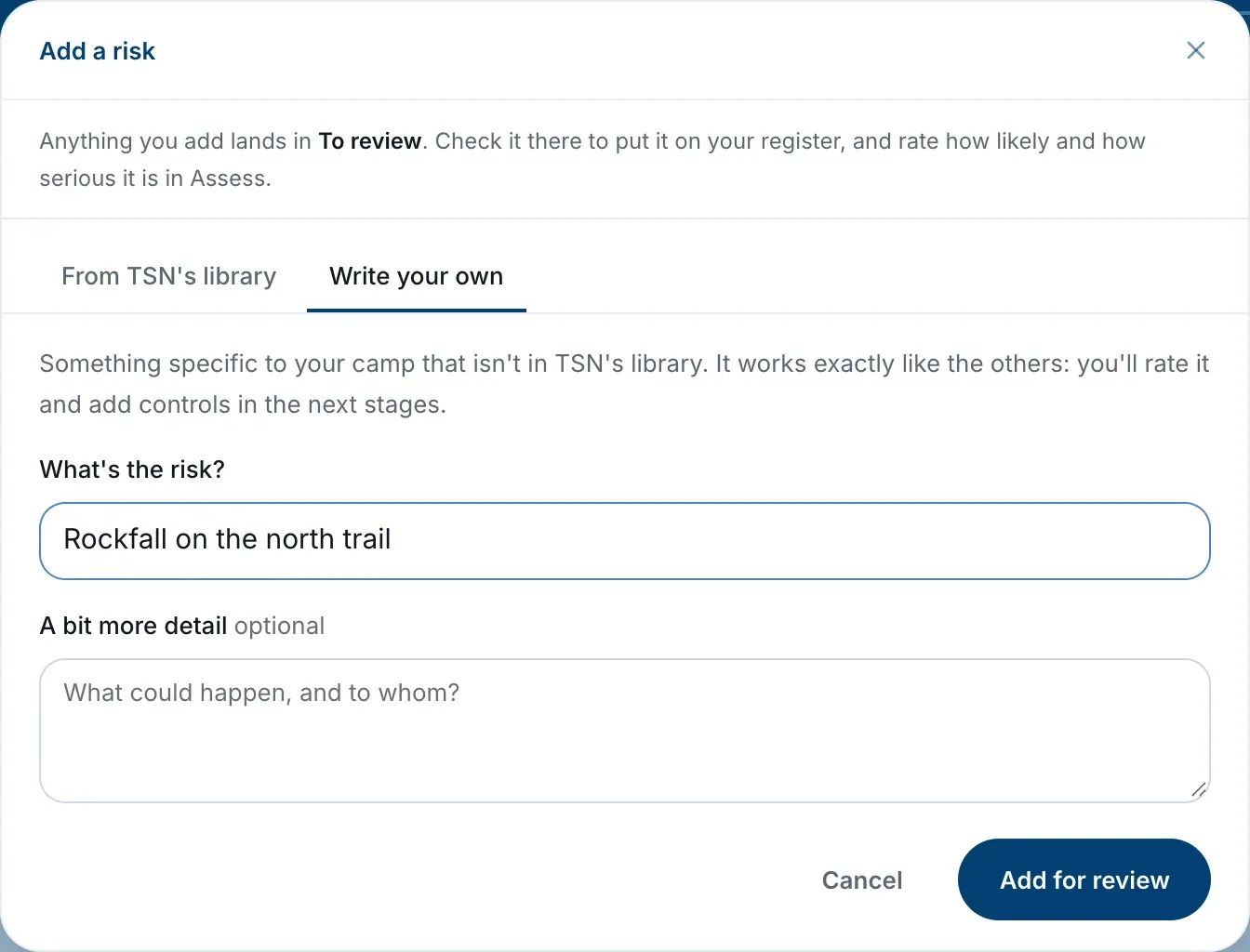
- On Write your own, describe the risk under What’s the risk?, for example “Rockfall on the north trail”.
- If it helps, add A bit more detail, such as what could happen and to whom. This is optional.
- Choose Add for review.
Then put it on your register
Anything you add lands in To Review, not straight on your register. Find it there and choose ✓ This applies to put it on your register, the same as any suggested risk.
Risks you write yourself are listed in a group called Added by your camp and carry an Added by You badge.
Take it through the other stages
Once it’s on your register, your own risk works exactly like the others:
- Rate it in Assess likelihood and impact.
- In Record your controls, a risk you wrote yourself has no controls from TSN, so the stage says TSN hasn’t published controls for this risk yet. Choose Add a Custom Control to record what you have and what you need.
- Any control you mark as partly in place or needed becomes an action you can add to your safety plan.
Changing your mind
There’s no way to delete a risk once it’s added, or to edit the words of one you wrote. If it no longer applies, choose ✕ Not for us to set it aside. It moves to Set Aside and doesn’t count toward your progress.