Assess likelihood and impact
Risk assessmentStage 3. Rate each risk on your register from 1 to 5 for likelihood and impact, and how the platform turns those ratings into a score and a band.
In Assess, stage 3, you give each risk on your register two ratings, each from 1 to 5:
- Likelihood: how often you’d expect it to happen at your camp.
- Impact: how bad it would be if it did.
Only risks you put on your register in Identify appear here.
Give the two ratings
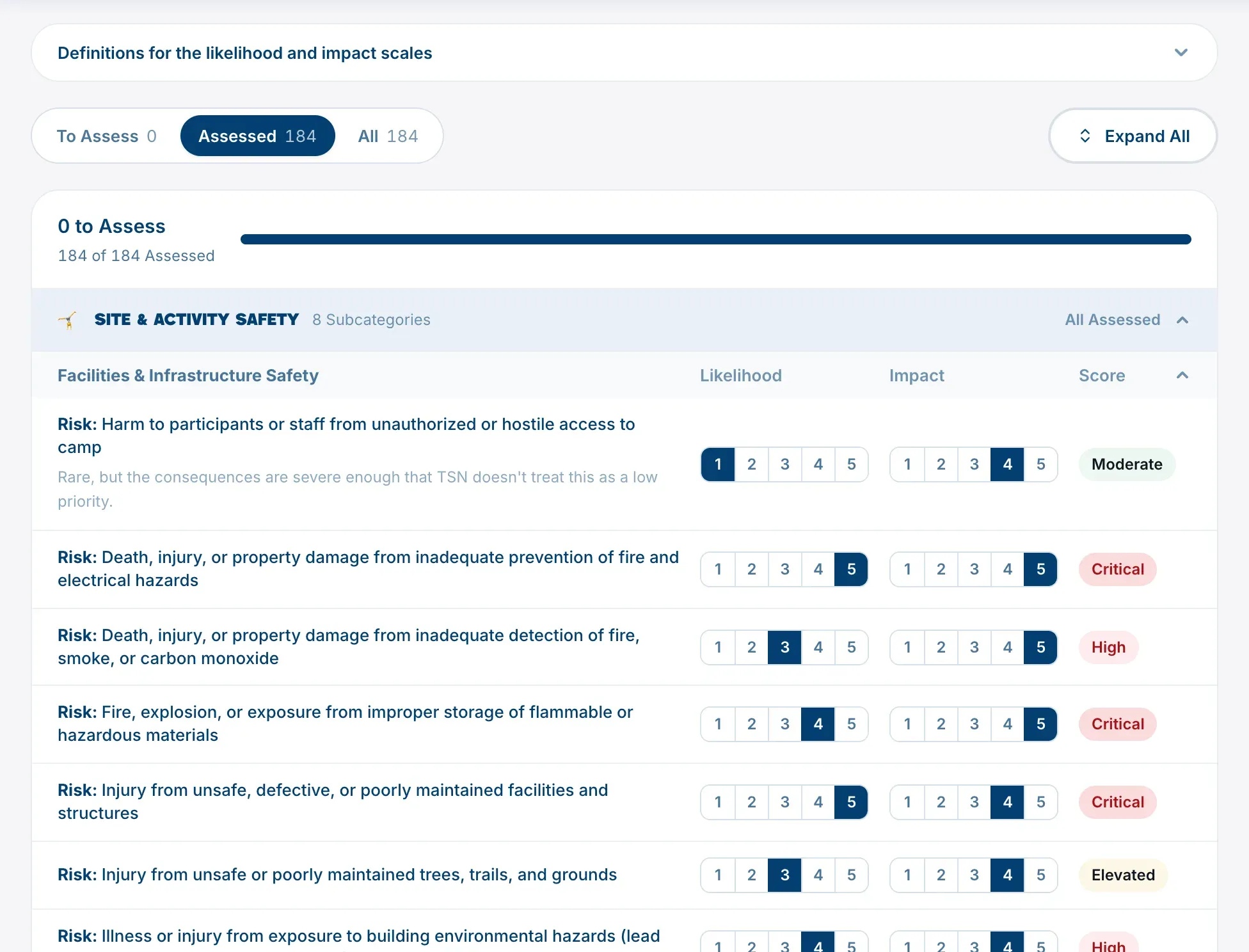
Each risk has two rows of numbers, Likelihood and Impact. Click a number to choose it, and it saves straight away. Click a different number to change it.
Every rating starts blank. A risk with only one rating, or none, shows a dash and isn’t counted in your progress until both are in.
What each level means
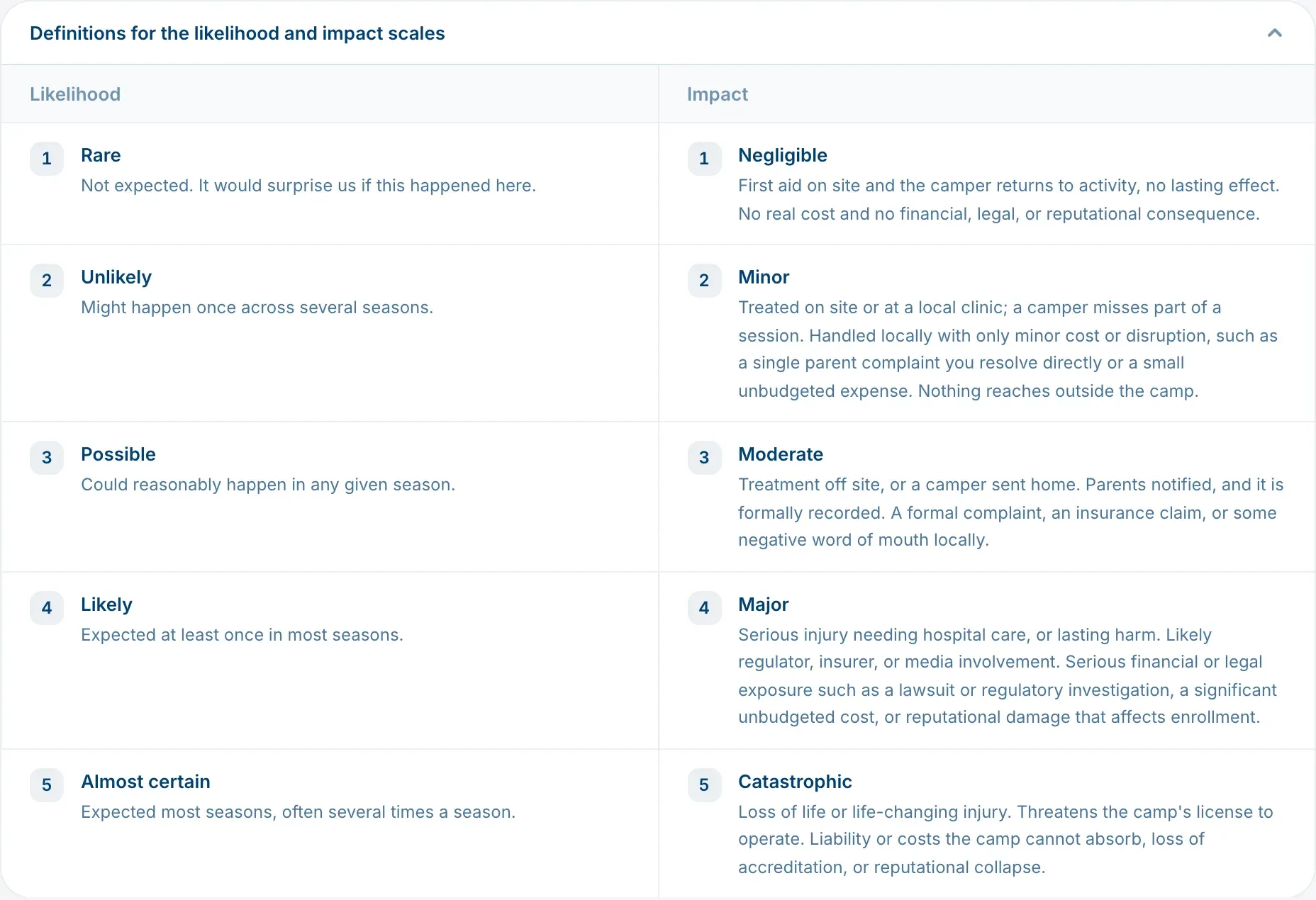
The levels have names, from Rare to Almost certain for likelihood and from Negligible to Catastrophic for impact. Each one has a short description, the same for every camp.
- Hover over a number to see its name and description.
- Open Definitions for the likelihood and impact scales, above the list, to see all ten side by side.
How the score and band work
The score is likelihood times impact, so it runs from 1 to 25. The score puts the risk in one of five bands, shown in the right-hand column:
| Band | Score | Color |
|---|---|---|
| Low | 1 to 4 | green |
| Moderate | 5 to 9 | green |
| Elevated | 10 to 14 | yellow |
| High | 15 to 19 | red |
| Critical | 20 to 25 | red |
Hover over a band to see the score behind it.
Serious harm is never shown as low
Two rules sit on top of the score, so a rare but very serious risk isn’t filed as a low priority:
- An impact of 5 is never shown below Elevated.
- An impact of 4 is never shown below Moderate.
For example, a waterfront drowning rated 1 for likelihood and 5 for impact scores 5, which would be Moderate, but shows as Elevated. When this happens, the risk says Rare, but the consequences are severe enough that TSN doesn’t treat this as a low priority.
These rules only ever raise a band. They never lower one.
The three tabs
- To Assess: risks still missing a rating. This is where you start.
- Assessed: risks with both ratings.
- All: everything on your register.
The count at the top, such as “6 to Assess”, goes down as you work. You can come back and change any rating at any time.
When this stage is done
Assess is done when every risk on your register has both ratings. If you later put a new risk on your register, Assess shows it as outstanding again.
Next, record what you already have in place in Record your controls. To see all your ratings on a grid, open the Risks tab of your Safety Roadmap.